In my previous post, I have demonstrated how to create MS Visio diagrams from scratch in Node.js applications. In this article, I’ll show you how to use Aspose.Diagram to export or convert MS Visio diagrams to various popular file formats in Node.js applications.
The conversion of Visio diagrams could be useful in various scenarios. You can convert a diagram to HTML or JPEG/PNG image to display it on a web page or in a Visio document viewer. Similarly, Visio to PDF conversion could be used to remove the dependency of dedicated software for viewing the diagrams. For such scenarios, Aspose.Diagram provides high-quality conversion of Visio diagrams to other formats.
- Convert Visio to PDF in Node.js
- Convert Visio Diagram to PNG/JPEG/Other Image Formats
- Export Visio Diagrams to SVG in Node.js
- Convert Visio Diagram to HTML in Node.js
- Visio to XAML Conversion in Node.js
Node.js Visio Converter API - Installation
You can install Aspose.Diagram into your Node.js application using the following npm command.
npm install aspose.diagram --save
Convert Visio to PDF in Node.js
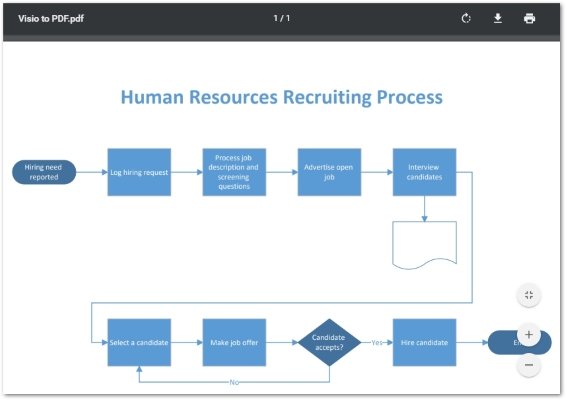
PDF is a platform-independent document format that keeps the content of a document stable among the heterogeneous environments. Therefore, it is more suitable to convert a Visio diagram to PDF before sharing it among the people without worrying about their environment or installing dedicated software. The following are the steps to convert a Visio diagram to PDF document using Aspose.Diagram.
- Load the VSD/VSDX Visio diagram using the Diagram class.
- Export the diagram to PDF using Diagram.save(string, SaveFileFormat) method.
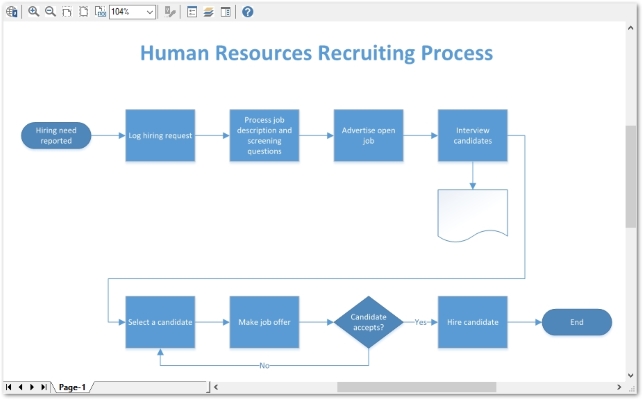
The following code sample shows how to convert a Visio VSDX to PDF in Node.js.
VSDX File
PDF File
Convert Visio to PNG/JPEG/Other Images in Node.js
Conversion of Visio diagrams to image formats is useful for generating thumbnails or displaying the content of the diagrams, i.e. for a Visio viewer. Aspose.Diagram lets you convert Visio diagrams to the following image formats:
- PNG
- JPEG
- TIFF
- BMP
- EMF
The following are the steps to convert Visio diagrams to PNG, JPEG or other image formats.
- Load the MS Visio diagram using Diagram class.
- Create an instance of ImageSaveOptions class and set the desired image format using SaveFileFormat enumeration.
- Save the Visio diagram as image using Diagram.save(string, ImageSaveOptions) method.
The following code sample shows how to convert Visio VSDX to PNG image in Node.js.
Export Visio Diagrams to SVG in Node.js
You can also convert a Visio diagram to SVG format in a couple of lines of code. The following are steps to perform this conversion.
- Load the Visio diagram using Diagram class.
- Export the diagram to SVG format using Diagram.save(string, SaveFileFormat) method.
The following code sample shows how to convert Visio VSDX to SVG format in Node.js.
Convert Visio Diagram to HTML in Node.js
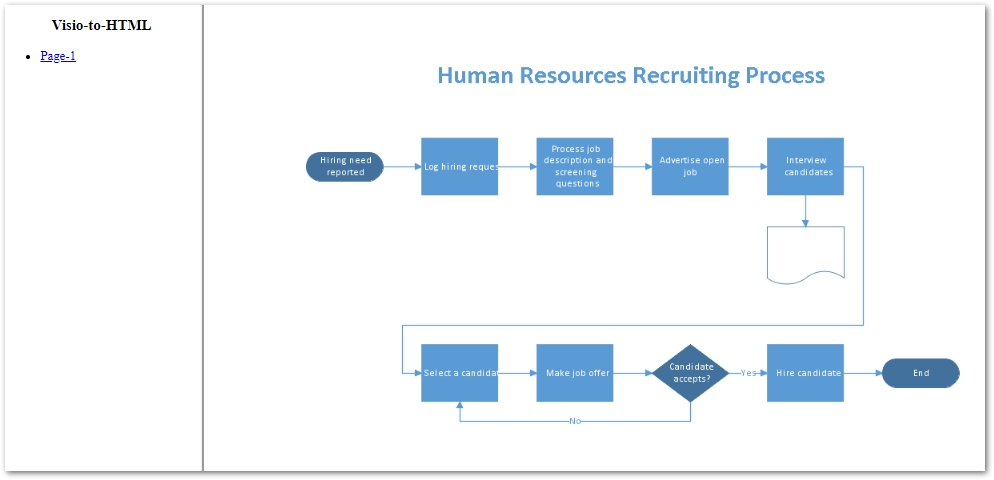
Aspose.Diagram also allows you to convert the Visio diagram into an HTML document. In Visio to HTML conversion, the API also generates a sidebar to navigate between the pages of the diagram. The following are the steps to perform this conversion.
- Create an instance of the Diagram class and initialize it with the Visio file’s path.
- Save the diagram as HTML using Diagram.save(string, SaveFileFormat) method.
The following code sample shows how to convert Visio VSDX to HTML in Node.js.
Visio to HTML
Convert Visio to XAML in Node.js
You can also convert a Visio diagram to XAML format created using Microsoft’s markup language which is named the same, XAML (Extensible Application Markup Language). The following are the steps to convert a Visio diagram to XAML format.
- Load Visio VSDX file using the Diagram class.
- Save VSDX as XAML using Diagram.save(string, SaveFileFormat) method.
The following code sample shows how to convert Visio VSDX to XAML in Node.js.
Conclusion
In this article, we have seen how to convert MS Visio diagrams to various popular formats in Node.js applications. The conversion scenarios we have covered in this article include Visio to PDF, Visio to images (PNG, JPEG, etc.), Visio to SVG, Visio to HTML, and Visio to XAML. You can learn more about the Node.js Visio API from the documentation.