Converting PDF to PNG turns static PDF documents into high‑quality PNG images. Businesses use this conversion for presentations, web content, and archiving because it enables easy sharing across platforms. In this post, we explore how to convert PDF to PNG in Python.
This article covers the following topics:
- Python PDF to PNG Converter Library
- Convert PDF to PNG in Python
- Convert a Single PDF Page to PNG in Python
- Try PDF to PNG Online Converter
- PDF to PNG: Free Resources
Python PDF to PNG Library
Aspose.PDF for Python simplifies PDF to PNG conversion. It offers a full set of PDF manipulation features, allowing you to convert whole documents or selected pages to PNG. The library includes many customization options, making it adaptable to various scenarios.
Key benefits of Aspose.PDF for Python:
- Ease of Integration: Works smoothly with Python applications.
- Flexibility: Convert entire PDFs or specific pages.
- Advanced Customization: Adjust image quality, resolution, and other parameters.
Install the library via pip or download it from the releases:
pip install aspose-pdf
Convert PDF to PNG in Python
Follow these steps to convert a PDF to PNG using Aspose.PDF for Python:
- Create a
Documentobject and load your PDF file. - Instantiate the
PngDeviceclass. - Call the
savemethod to generate and store the PNG image.
Here’s a Python snippet that demonstrates the process:
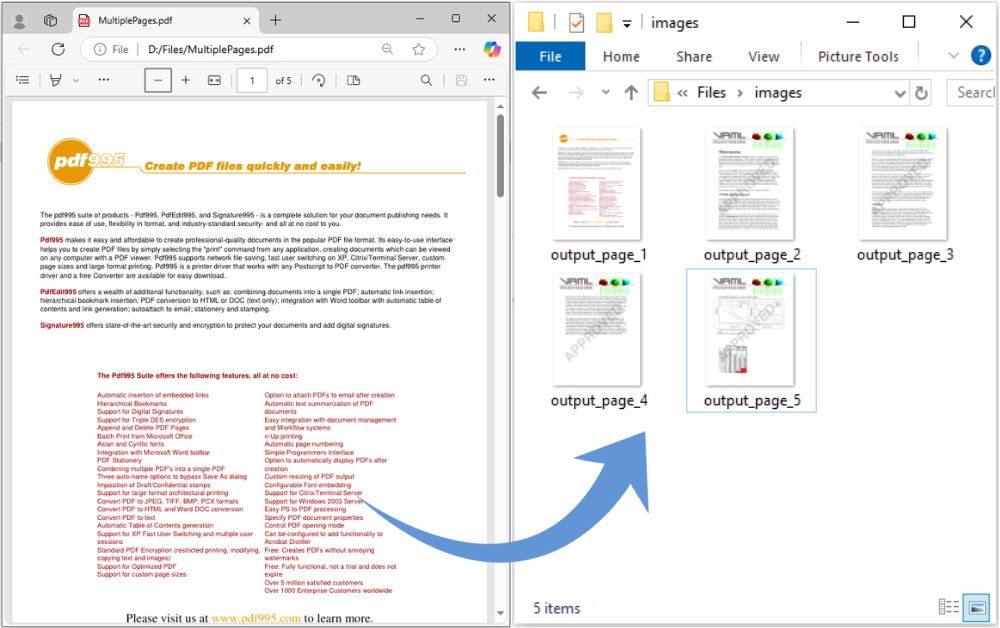
How to Convert PDF to PNG in Python.
Convert a Specific PDF Page to PNG in Python
To convert a single PDF page to PNG, use these steps:
- Load the PDF into a
Documentobject. - Create a
PngDeviceinstance. - Set the page number you want to convert.
- Save the result as a PNG file.
The following code snippet illustrates the method:
Get a Free License
Visit the license page to obtain a free temporary license. It’s easy to get started and unlock the full potential of Aspose.PDF for your projects!
Convert PDF to PNG Online
Try our online tool for converting PDF to PNG. This free, easy‑to‑use service quickly converts PDF documents to PNG images with high accuracy.

PDF to PNG: Free Resources
Explore additional resources to deepen your PDF manipulation knowledge:
Conclusion
We covered how to convert PDF to PNG in Python with Aspose.PDF, highlighted key library features, and provided step‑by‑step examples for whole documents and individual pages. Explore more of Aspose.PDF for Python to boost your PDF processing capabilities.
If you have questions or need help, visit our free support forum.