In today’s fast‑paced world, collaboration and productivity are essential. Remote work is growing, and people need to share documents quickly. Online tools have become indispensable. This blog introduces a powerful tool that lets you edit PDF documents with ease.
Free PDF Editor: Edit PDF Online
Edit your PDF documents online for free. Try our easy-to-use PDF editor to create or modify PDF files. The tool lets you change text, images, and other elements without installing any software.
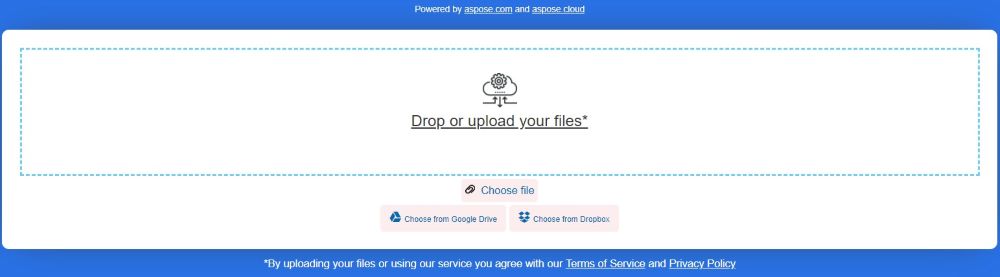
Steps to Edit PDF Document Online Free
To use the online PDF editor, follow these simple steps:
- Visit the Aspose PDF Editor website.
- “Drag or Upload” your PDF file.
- Use the editing tools to modify text, images, or annotations.
- Click the “Download” button to save your edited PDF.
You can edit as many PDFs as you need. Open our free PDF editor in your browser and work on all your files. Enjoy a feature‑rich editor with many formatting options.
The online PDF editor is completely free and keeps your files secure. Every uploaded file is deleted from the server after 24 hours.
PDF Editor: Developer’s Guide
We built this free online editor using the Aspose.PDF library. This library offers extensive features for handling PDF documents, including programmatic editing. It’s ideal for developers who want to automate PDF creation and modification. Explore our native libraries and Cloud API to edit PDFs programmatically.
In the next sections, we show how to edit PDF files using C#, Java, and Python. You’ll get step‑by‑step instructions and code examples.
Edit PDF Document using C#
You can edit PDF documents programmatically with C#. Follow these steps:
- Install Aspose.PDF for .NET in your application.
- Use the code snippet below to edit a PDF file in C#:
Edit PDF Document using Python
Follow these steps to edit a PDF document in Python:
- Install Aspose.PDF for Python in your application.
- Use the code sample below to load and edit a PDF file in Python:
PDF Document Editor in Java
Edit PDF documents programmatically in Java with these steps:
- Install Aspose.PDF for Java in your Java application.
- Use the code sample below to edit a PDF file in Java:
Get a Free License
If you want to explore Aspose products further, consider obtaining a free temporary license. It’s easy and straightforward! Just visit the license page to get started. Enjoy the full features of Aspose products at no cost.
Edit PDF Doc Online: Free Resources
We also provide various resources to deepen your PDF editing knowledge. Check out our documentation, tutorials, and community forums for more insights and tips.
PDF Editor: FAQs
1. What is Aspose PDF Editor?
Aspose PDF Editor is an online tool that lets users edit PDF documents directly in a web browser. You can modify text, images, and other elements without installing software.
2. How do I upload, edit, and save a PDF file?
Go to Aspose PDF Editor, click “Upload File” to select a PDF, make your edits, and then click “Download” to save the edited file.
3. What are the key features of Aspose PDF Editor?
The editor offers text editing, image insertion, form filling, and basic annotation features. You can add or delete text, insert images, and complete interactive forms within the PDF.
4. Is the tool compatible with different devices and operating systems?
Being web‑based, it works on any device with internet access, including Windows, macOS, Linux, iOS, and Android, and supports all modern browsers.
5. How does Aspose PDF Editor handle user data and files?
User privacy is a priority. All uploaded files are handled securely and are automatically deleted from the server after a short period.
6. How long are files stored on the server?
Files are stored for 24 hours after upload, then they are automatically removed to protect user data.
7. Are files encrypted during upload and download?
Yes, all files are encrypted during both upload and download, ensuring your data remains secure.
8. Are there any limitations for free usage?
Free usage may have limits on file size, page count, or available editing features. Check the website for specific details.
9. What should I do if I have trouble uploading or editing files?
Make sure your file meets size and format requirements. If problems persist, clear your browser cache or try a different browser.
10. What browsers are recommended for Aspose PDF Editor?
For best performance, use the latest version of Google Chrome, Firefox, Safari, or Microsoft Edge. Older browsers may not support all features.
Conclusion
In this post, we explored how to edit PDF documents online for free. We provided a step‑by‑step guide for web editing and programmatic editing using C#, Java, and Python. Discover more about Aspose.PDF to enhance your PDF editing workflow!
If you have questions or need assistance, please visit our free support forum.