Often you need to compare two MS Word DOC/DOCX files to see changes. While many online document comparison tools exist, you may want to embed this feature in your own web app or build a custom solution. In this guide, I’ll show how to compare two Word DOCX files using C# in an ASP.NET application. The app includes:
- C# .NET API to Compare Word DOCX Documents
- Compare two Word (DOC/DOCX) documents in C#
- Download the comparison result in DOCX format
- Download the comparison result in PDF format
C# .NET API to Compare Word DOCX
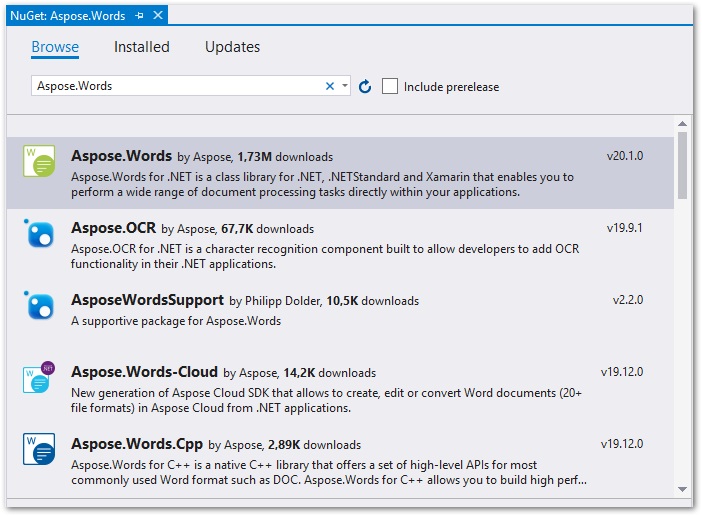
We use Aspose.Words for .NET, a robust word‑processing API that works without MS Office. Install it via NuGet or download it directly.
PM> Install-Package Aspose.Words
Compare Two Word Documents in C# ASP.NET
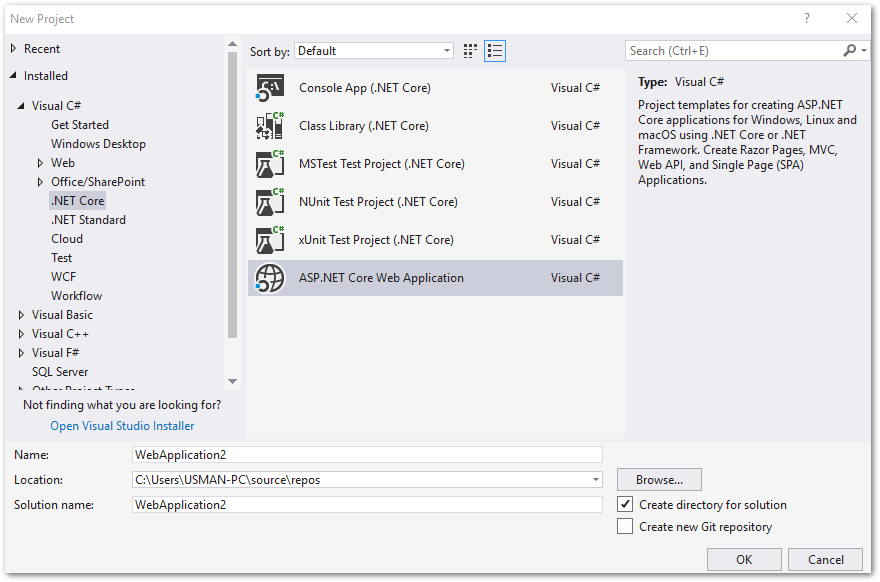
- Create a new ASP.NET Core Web Application in Visual Studio 2017 or later.
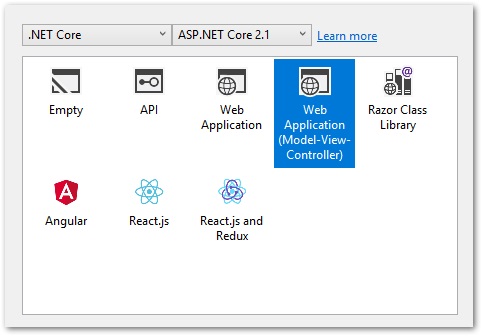
- Choose the Web Application (Model-View-Controller) template.
- Install the Aspose.Words for .NET package using NuGet Package Manager.
- Copy and paste the following script in index.cshtml view.
- Copy and paste the following method in HomeController.cs controller.
- Insert the following CSS and JS files of drag and drop plugin in the head tag of _layout.cshtml view.
- Build the application and run in the browser.
C# ASP.NET Word DOCX Comparison App - Demo
The following is the demonstration of how to compare two Word documents using our C# ASP.NET document comparison application.
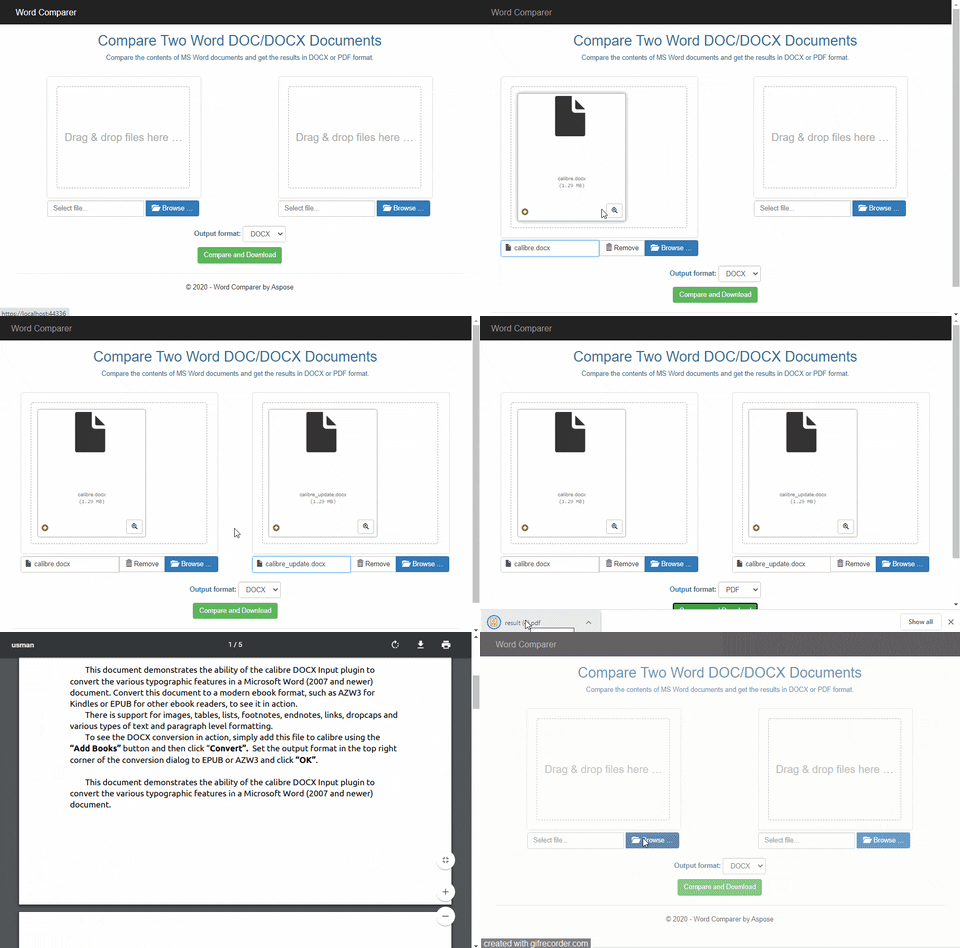
Comparing Word DOCX in ASP.NET
Download C# ASP.NET DOCX Comparison Application
You may download the complete source code of ASP.NET Word document comparison application from here.
About Aspose.Words for .NET
Try Aspose.Words for .NET for Free
Aspose offers a temporary license to try Aspose APIs for free. Get yours to evaluate Aspose.Words for .NET.