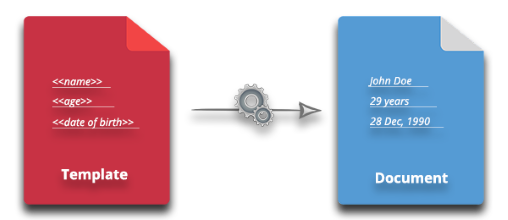
The report generation process usually involves filling predefined document templates that contain placeholders for required fields. A reporting engine reads the template, replaces the placeholders with dynamic data, and creates the final report. If you need a Java solution to generate Word documents from templates, this article provides a clear, step‑by‑step guide.
Java Library to Generate Word Documents from Templates
To create Word documents from DOCX templates, we use the LINQ Reporting Engine included in Aspose.Words for Java. This engine supports tags for text, images, lists, tables, hyperlinks, and bookmarks. Templates with these tags are populated from Java objects, XML, JSON, or CSV data sources. Below you will learn how to generate a Word document from a template using:
- Java object values
- XML data source
- JSON data source
- CSV data source
Installing Aspose.Words for Java
You can download the Aspose.Words for Java JAR or add it to a Maven project with the following configuration.
Repository:
<repository>
    <id>AsposeJavaAPI</id>
    <name>Aspose Java API</name>
    <url>https://repository.aspose.com/repo/</url>
</repository>
Dependency:
<dependency>
    <groupId>com.aspose</groupId>
    <artifactId>aspose-words</artifactId>
    <version>22.11</version>
    <type>pom</type>
</dependency>
Generate Word Documents from Template using Java Objects
First, create a Word template that contains tags for the data you want to insert.
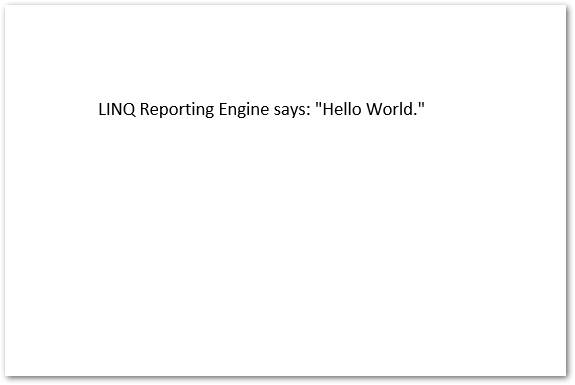
<<[s.getName()]>> says: "<<[s.getMessage()]>>."
In this template, s refers to an instance of a Java class. Create a class named Sender with two fields.
Now pass the template to the LINQ Reporting Engine and generate the document using the Sender object. Follow these steps:
- Create a Document object and load the template file.
- Instantiate the Sender class and set its values.
- Create a ReportingEngine object.
- Call ReportingEngine.buildReport() with the document, data source, and data source name.
- Save the result with Document.save().
The code below demonstrates this process.
Output
Java: Create Word Documents from Template using XML Data
Next, see how to fill a template using an XML data source. Here is the XML file we will use.
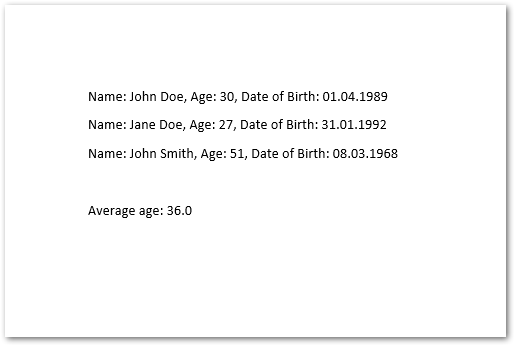
The template uses these tags to iterate over multiple XML records.
<<foreach [in persons]>>Name: <<[Name]>>, Age: <<[Age]>>, Date of Birth: <<[Birth]:"dd.MM.yyyy">>
<</foreach>>
Average age: <<[persons.average(p => p.Age)]>>
The Java code is the same as before; only the data source changes to an XmlDataSource object passed to buildReport().
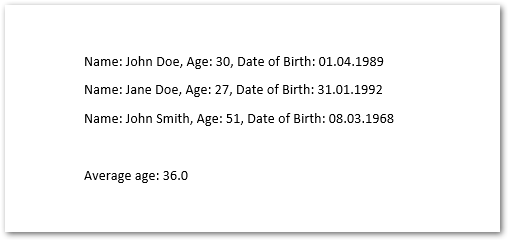
Output
Java: Generate Word Documents from Template using JSON Data
Now generate a document using a JSON data source. Below is the JSON file.
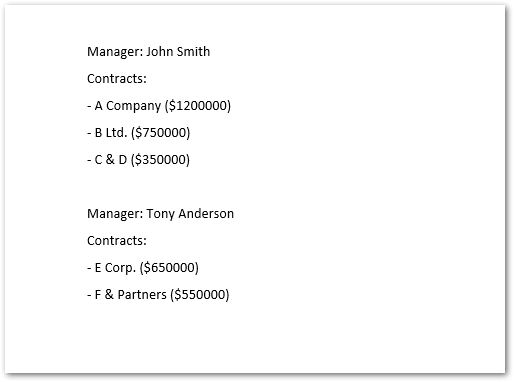
The template groups clients by their managers.
<<foreach [in managers]>>Manager: <<[Name]>>
Contracts:
<<foreach [in Contract]>>- <<[Client.Name]>> ($<<[Price]>>)
<</foreach>>
<</foreach>>
Load the JSON with the JsonDataSource class and build the report.
Output
Generate Word Documents with CSV Data in Java
Finally, create a document using a CSV data source.
The template for CSV looks like this:
<<foreach [in persons]>>Name: <<[Column1]>>, Age: <<[Column2]>>, Date of Birth: <<[Column3]:"dd.MM.yyyy">>
<</foreach>>
Average age: <<[persons.average(p => p.Column2)]>>
Use the CsvDataSource class to read the CSV file and generate the report.
Output
Generate Word Documents with a Free License
You can get a free temporary license and generate Word documents without evaluation limitations.
Java LINQ Reporting Engine - Read More
LINQ Reporting Engine supports many tags for building rich Word documents dynamically in Java. Learn more about tag syntax in this article.
If you have questions, post them to the Aspose.Words Forum.